Share a takewith a link.
Export straight to a shareable link with an expiry date, a password, and downloads or embeds switched on or off. Then see how many times it was watched, how far viewers got and where they dropped off.
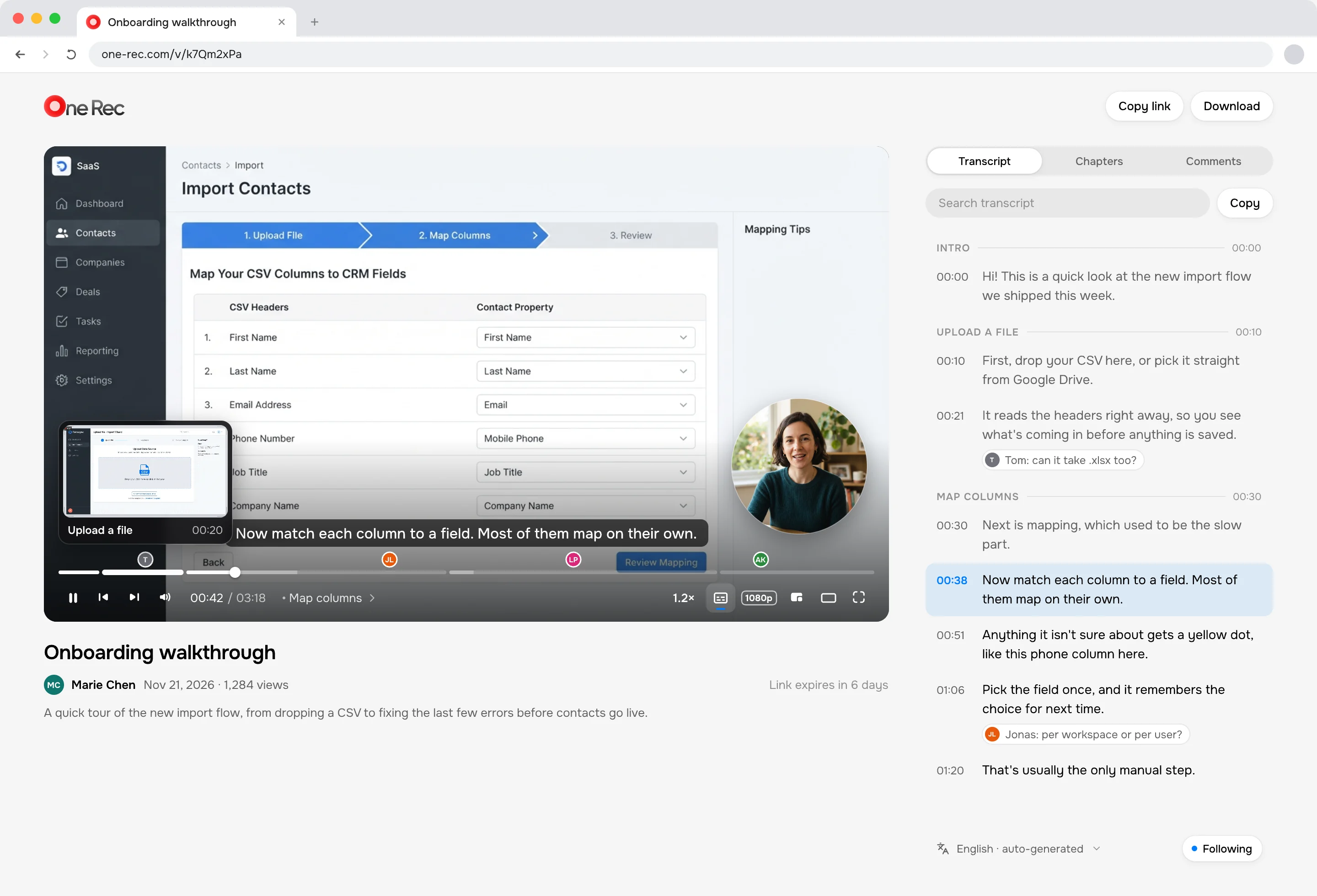
How it works
Export, set the rules, send.
Create the link
Sign in and share from the editor. A shared video can be up to 50 MB.
Set the rules
Pick when the link expires, add a password if you need one, and choose whether viewers get a download button or an embed.
Read the numbers
See how many times the video was watched, the average watched, how many reached the end and where viewers dropped off.
FAQ
Questions
- Do share links expire?
- Yes, every link expires: after 7 days on Free, 30 days on Creator, 90 days on Pro and Webinar, and a year on Team.
- How many share links can I have?
- 3 on Free, 50 on Creator, 200 on Pro and Webinar, and 500 on Team.
- How large can a shared video be?
- Up to 50 MB per video on every plan. Longer takes fit when you export at a lower resolution or quality.
- Can I see who watched?
- You see how many times a video was watched, how far viewers got and where they dropped off. One Rec does not record who the viewers are.