Twitch emotesfrom one photo.
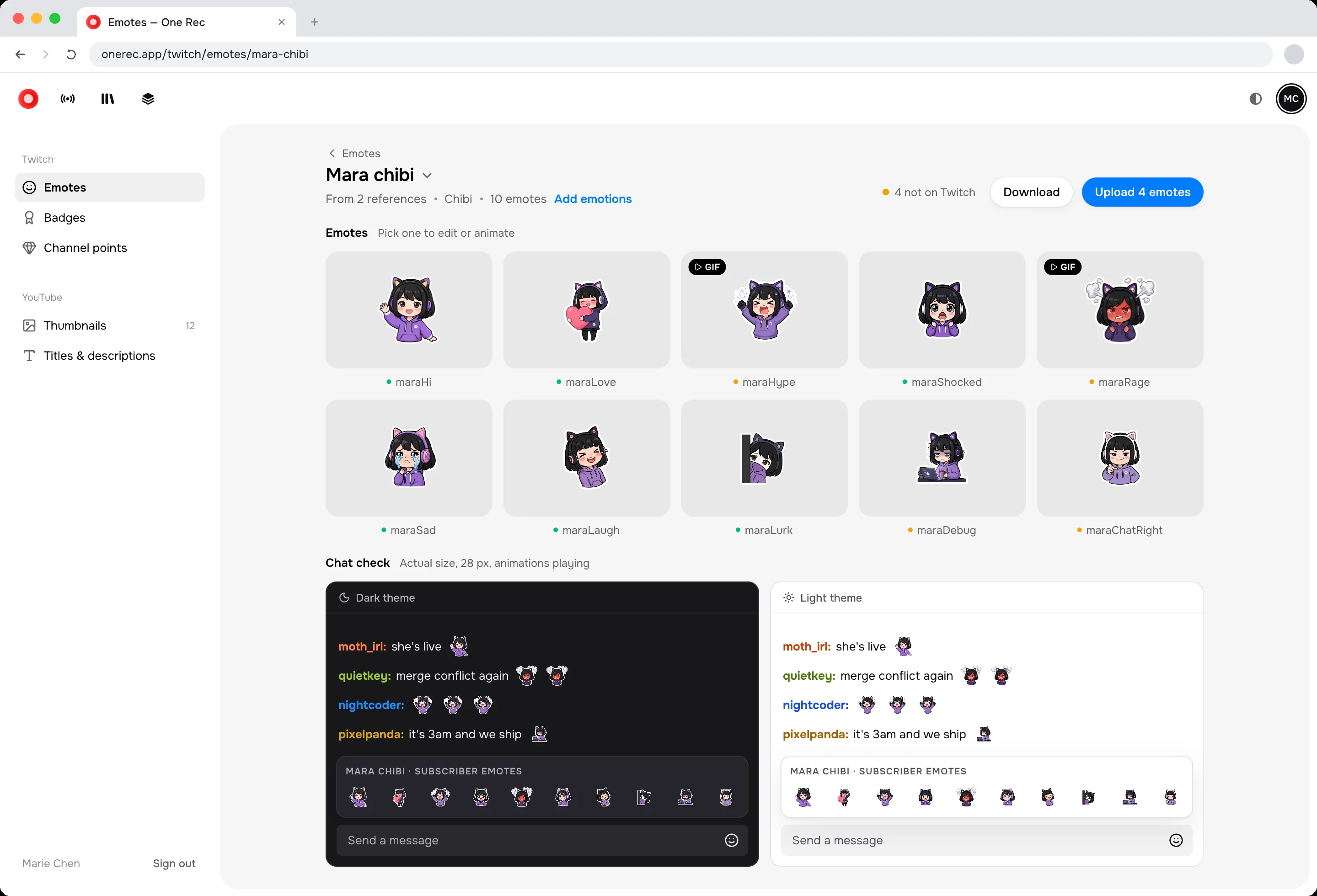
Start from a photo and get a set of ten in one style, sized for Twitch. Check them in a mock chat at 28 px, give any of them a motion preset, then download the set.
How it works
One character, ten emotions.
Lock the character
Pick who the emotes show and the look. One Rec keeps that character the same across the whole set.
Choose the emotions
Start with the ten essentials, from Hype and Love to GG, then add more packs when your chat needs them.
Check, animate, download
Read each emote in a mock chat at 28 px, add a motion preset such as Bounce or Wiggle, then download the set as a zip.
FAQ
Questions
- Does One Rec upload the emotes to my channel?
- No. You download the set, then upload it yourself in your Twitch creator dashboard under Viewer rewards.
- Which sizes are in the download?
- 112, 56 and 28 px for Twitch, plus files sized for Discord, 7TV and Kick if you want them.
- Can an emote be animated?
- Yes. Pick a motion preset on any emote and One Rec renders it as a GIF at the same sizes.
- What does a set cost?
- Generating draws on your plan's daily cloud AI allowance: 5 generations a day on Free, 50 on Creator, and no daily cap on Pro, Team and Webinar.